
Commands
dith apply
Dither an image file, or stdin, into PNG, WebP, SVG, Kitty graphics, Braille or ASCII.
Usage
dith apply <INPUT|-> [-o <PATH|->] [shared flags] [options]
Example
$ dith apply still-life.png -o mac-classic.png --preset mac-classic --max-dim 384
Wrote mac-classic.png (384x258, 4025 bytes, algo=atkinson, palette=mac-1bit, 55ms)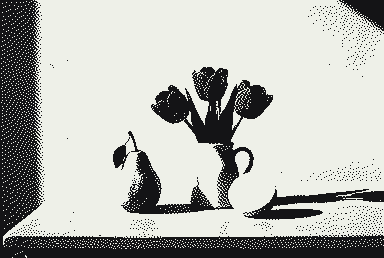
Options
| Flag | What it does |
|---|---|
-o, --output |
File path, or - for stdout. Optional for braille, ascii and kitty, which print to stdout. |
--no-clobber |
Fail with OUTPUT_EXISTS instead of overwriting. Overwriting is the default. |
--dry-run |
Validate and plan without writing. Includes the recipe. |
--emit-recipe |
Add the fully resolved recipe to the report. |
--save-preset <name> |
Also save the resolved settings as a preset, in the project or for the user. |
--preview |
Add a Braille thumbnail to the report as preview_braille. |
--view, --inline |
Open the Kitty-protocol viewer. For interactive terminals only. |
Resize
Resizing happens before dithering. Never resize a dithered file afterwards; render it at its final size.
| Flag | What it does |
|---|---|
--width, --height |
Target size. With both set, --fit contain, cover or stretch applies (default contain). |
--max-dim <N> |
Caps the longest side and keeps the aspect ratio. |
--scale <f> |
Uniform multiplier. |
--pixel-size <N> |
1 to 64. Downscales by N, dithers, then scales back up with nearest neighbour. The output size stays the same. |
Inputs
PNG, JPEG, WebP, GIF (the first frame), BMP or TIFF. Pass - as the input to read from stdin.